Project Management
Manage, track and bill for your projects with task management, messaging, file storage and more.
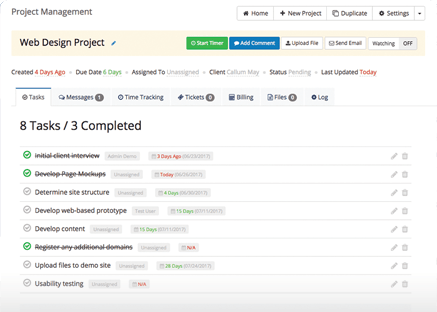
Manage, track and bill for your projects with task management, messaging, file storage and more.

Keep everything together in one central place, files, discussions, tasks, and avoid unecessary duplication into 3rd party systems

Time can be logged against tasks, tracked automatically with a start & stop timer on a per admin basis

Create Task Lists to track each stage of a project, with the ability to mark items as complete and see at a glance how much is outstanding
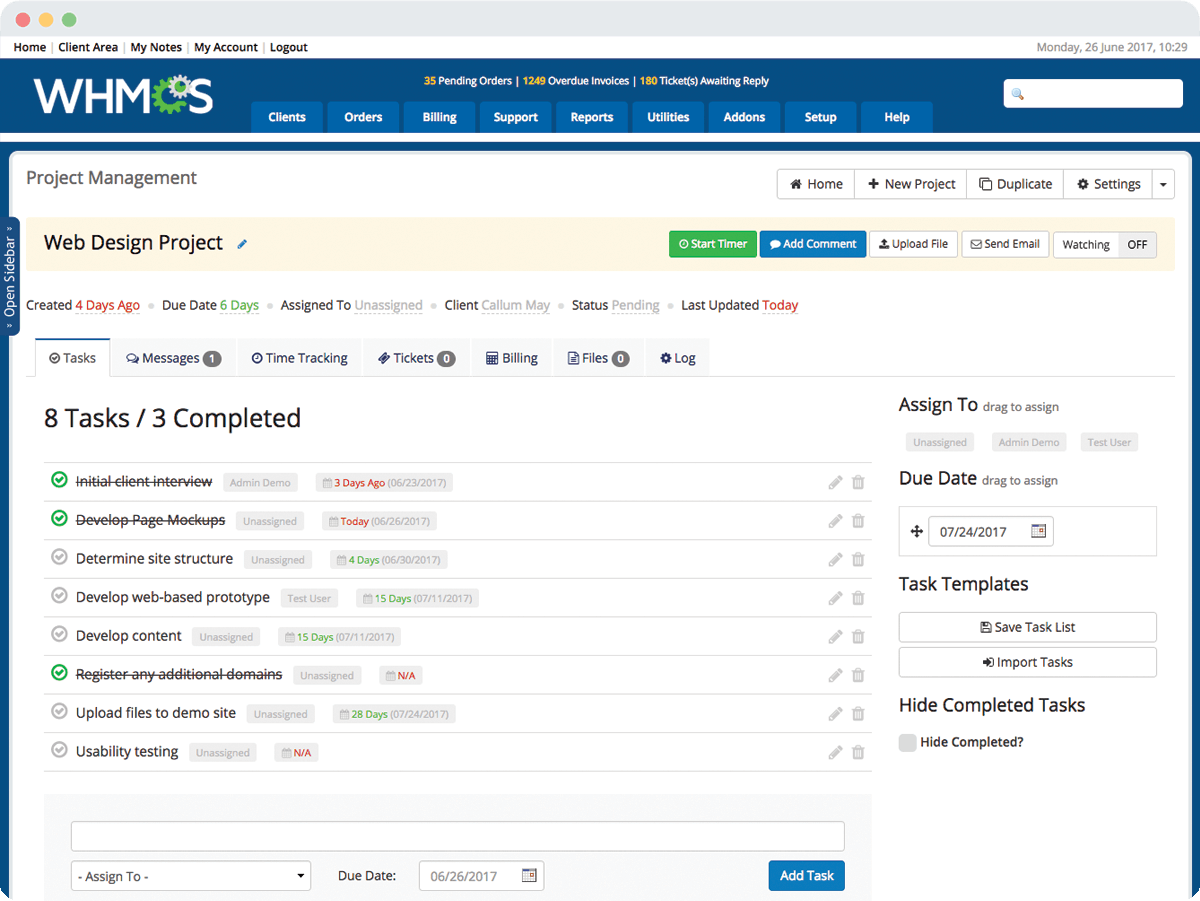
Connecting and simplifying project management with one single unified platform.

Be On Time with due date tracking, and instantly see which projects are top priority, and exactly how long you have left until deadlines

With the Time Records kept for tasks, you can automatically convert those into invoices and deliver them to your customers

Associate tickets as well as access and even create new projects directly from the support ticket interface

A private staff messageboard for each project allows communication between staff and tracking of notes/updates

Attach files to projects and messages, and even make files available to the customer for centralised file management

Get quick and direct access to all invoice history relating to projects, see payment status and easily raise new invoices

Reports allow you to review projects, time worked, and other statistical information

Records are kept detailing every change and adjustment to a project, who did it, and the date/time

Supports translating all client facing interfaces into multiple languages.